

Microsoft Teams Rooms Singapore
Video Conferencing Systems for Every Meeting Room
A Microsoft Teams Rooms Singapore setup turns a normal meeting room into a proper video conferencing system. It runs Microsoft Teams on its own, so nobody needs to plug in a laptop or hunt for a cable.
The two things that matter before you buy one are room size and how the room actually gets used, not the brand on the camera. TIR designs, supplies and installs Teams Rooms across Singapore, from small huddle rooms to twenty seat boardrooms.
This guide covers what a Teams Room includes, how the licensing works, what changes by room size, and how TIR runs the installation from site visit to handover.
What Is a Microsoft Teams Room?
A Microsoft Teams Room is a dedicated video conferencing system. It has a camera, microphone, speaker, display and touch console, all set up to run Microsoft Teams on its own. It uses a separate room licence, not a personal user account.
Teams Rooms run on Windows or Android. The same platform works in a two person huddle booth and a twenty person boardroom. Each room needs its own licence, Basic or Pro, tied to a room account in the Microsoft 365 Admin Centre.
- A five room office usually manages fine on Basic.
- A fifty room office needs Pro just to keep track of what is running where.
Microsoft recommends Teams Rooms Pro for any organisation running 25 or more meeting rooms. Pro adds device analytics, remote configuration and automatic troubleshooting. (Source: Microsoft Learn, 2025.)
Sizing the Video Conferencing System to the Room
A video conferencing system for a conference room should match the room, not the brand name on the box. Small rooms need a simple all in one bar. Mid size rooms need a separate camera and more microphones. Boardrooms need multiple cameras and two screens.
Most Teams Room problems come down to one thing: the gear does not match the room. A four person huddle space with boardroom size microphones picks up the corridor. A boardroom fitted with a huddle room camera leaves half the table out of frame.
TIR starts every job with a site visit: room size, ceiling height, existing cabling, how people actually sit.
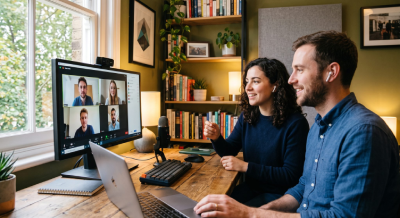


Small rooms, one to two people:
One all in one bar with camera, mic and speaker
Mid size rooms, three to eight people:
A separate camera, ceiling or table mics, one screen
Boardrooms, ten or more people:
Multiple cameras, wider mic coverage, two screens and a control panel
This is close to how Microsoft’s own room planning guidance is structured too: start with an inventory of the rooms you actually have, then pick the hardware.
Features That Set Teams Rooms Apart
Teams Rooms includes IntelliFrame, which gives each person in the room their own video tile, Front Row, which puts remote callers at eye level, and spatial audio. It also supports Direct Guest Join, so a room can dial into a Zoom or Webex meeting without a separate licence.
For an office running Zoom for some teams and Teams for others, Direct Guest Join is usually the reason to pick Teams Rooms over a single vendor box. No extra licence just to sit in on someone else’s call.
IT teams manage every room from the Teams Admin Centre: firmware updates, usage reports, device health, all from one screen instead of walking to each room with a laptop.
Teams Rooms supports Direct Guest Join, letting a room dial directly into a Zoom or Webex meeting without a licence for that platform. Source: Microsoft, 2026.
How TIR Installs a Meeting Room AV System
TIR’s Teams Room installation covers a site visit, hardware matched to room size, Microsoft 365 licensing, on site installation and calibration, and staff training with ongoing support. A meeting room AV system is only as good as the installation behind it. TIR’s process:

1. Site visit: room size, acoustics, existing cabling
2. Hardware selection: matched to the room tier above
3. Licensing: Basic or Pro set up in Microsoft 365
4. Installation: cabling, mounting, calibration on site
5. Handover: staff training, then ongoing support
This follows Microsoft’s own rollout order: inventory first, then devices, then rollout, then change management, adapted to Singapore’s buildings and IT setups.
Deploy Microsoft Teams Rooms With TIR
A Microsoft Teams Rooms Singapore setup only works if it is sized to the room. Talk to TIR for a room by room assessment and a system built around how your team actually meets.