

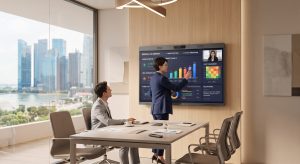
Maxhub Video Conferencing Singapore

The One Screen That Replaces Your Camera, Whiteboard And Display

Most meeting rooms end up with three separate purchases: a display for the wall, a camera bar underneath it, and a whiteboard nobody quite trusts because half the team is remote anyway. A Maxhub video conferencing Singapore setup collapses all three into one touchscreen.

TIR installs Maxhub all in one displays across Singapore, from huddle rooms to boardrooms, so the room needs one piece of hardware instead of three that all have to work together.

Why Meeting Rooms End Up With Three Screens Nobody Asked For

A typical meeting room setup buys a display, a video conferencing bar and a whiteboard as three separate purchases. Each has its own vendor, its own mounting, and its own point of failure. An all in one interactive display combines all three into a single unit.

Whoever fits out a meeting room usually buys the screen first, the camera later once someone complains about video calls, and the whiteboard as an afterthought because the old one is still in storage. Three vendors, three warranties, three things that can go wrong before a client call.

What a Maxhub All In One Display Actually Is

Maxhub’s XBoard series is a touchscreen display with a built-in camera, microphone array and whiteboard function in one unit. It is accredited as a Microsoft Teams Rooms device, and also supports Zoom, Google Meet and Skype without extra hardware.

The screen itself runs from 55 inches up to 86 inches or larger, depending on room size. Everything a separate camera bar and whiteboard would normally do sits inside one device on the wall, with one power cable and one login for the whole meeting.

The Maxhub XBoard V7 supports 50 simultaneous touch points, so several people can write on the same screen at the same time during a meeting. Source: Maxhub, 2026.

Maxhub by Room Size

Maxhub organises its range by space, not by feature count.

Huddle and focus rooms: compact all in one display, single camera and mic array
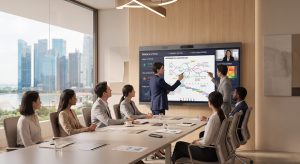
Small and medium conference rooms: larger display, wider mic pickup for eight to sixteen people
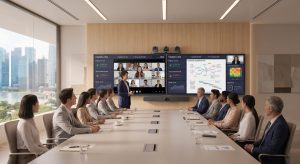
Large conference rooms and boardrooms: dual display setups paired with a separate video bar for wider camera coverage
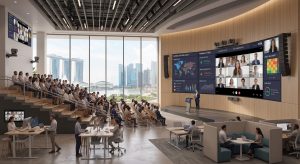
Auditoriums and open spaces: modular setups combining displays, capture systems and dedicated conferencing bars
A four person huddle room does not need a dual display setup. A sixteen pax boardroom will not get proper camera coverage from a single small screen. TIR matches the series to the room during the site visit.

Where This Actually Gets Used

One Singapore nursing home fitted a Maxhub display on a mobile stand so staff could wheel it into a resident’s room for a video call with family during pandemic visiting restrictions, including a call for a resident’s wedding engagement.

Another Singapore office fitted out an entire floor, dual displays and a dedicated video bar in the boardroom, single Maxhub displays in smaller four, eight, ten and sixteen pax rooms, and open workspace areas alongside them.

The pattern in both cases is the same. One device type, reused across very different room sizes, instead of a different vendor for every room.

How TIR Installs Maxhub Video Conferencing Systems

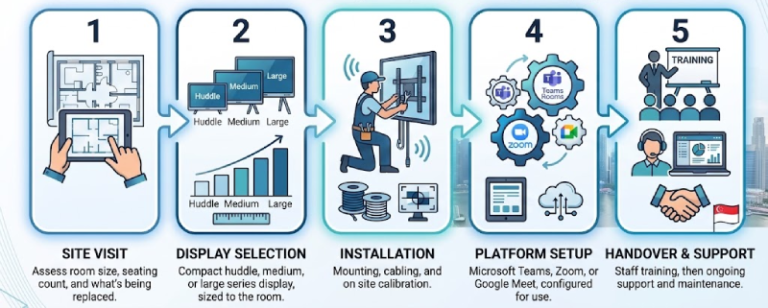
TIR’s Maxhub installation covers a site visit, display sizing by room, on site mounting and calibration, platform setup for Teams, Zoom or Google Meet, and staff training with ongoing support.

1. Site visit: room size, seating count, existing display or whiteboard being replaced

2. Display selection: huddle, medium or large series, sized to the room

3. Installation: mounting, cabling, calibration on site

4. Platform setup: Teams, Zoom or Google Meet, configured to how the office actually meets

5. Handover: staff training, then ongoing support

One Screen, Every Room

A Maxhub video conferencing Singapore setup means one device does what a display, a camera bar and a whiteboard used to do separately. Talk to TIR for a room by room assessment and a Maxhub system sized to your space.