


Logitech Video Conferencing Singapore

Room Systems for Every Meeting Space

Logitech video conferencing Singapore systems cover almost every meeting room shape, from a two person huddle booth to a forty seat boardroom. The range runs from the compact MeetUp 2 bar to the expandable Rally Plus system, all built to run Microsoft Teams Rooms or Zoom Rooms with little setup.

TIR supplies and installs Logitech room systems across Singapore, matched to the room rather than just the product name a client has already heard of.

This guide covers the main Logitech room systems, what separates them, and how TIR picks and installs the right one for your space.

What Is Logitech Video Conferencing?

Logitech video conferencing covers a range of room systems, from all in one video bars to modular camera and microphone setups. Products such as MeetUp, Rally Bar and Rally Plus are certified for Microsoft Teams Rooms and Zoom Rooms, and each is built for a specific room size rather than one universal box.

Logitech’s room systems fall into two types.

  • All in one bars, such as MeetUp 2 and Rally Bar, combine camera, speaker and microphone in a single unit.
  • Modular systems, such as Rally Plus, use separate camera and mic pod hardware, so a large room gets proper coverage instead of one device stretched too far.

Logitech Rally Plus can extend up to seven mic pods, enough to cover rooms with up to 46 seats such as large boardrooms and training rooms. Source: Logitech, 2026.

Logitech Room Systems by Room Size

Logitech sizes its room systems by pax count. MeetUp 2 suits small rooms of six to ten people. Rally Bar and Rally Bar Mini suit medium rooms. Rally Plus is built for large rooms and boardrooms, with mic pods that extend coverage up to 46 seats.

Picking a Logitech system starts with counting seats, not picking a favourite model.

MeetUp 2, small rooms, up to 6 to 10 people: all in one video bar, single USB connection, no extra software
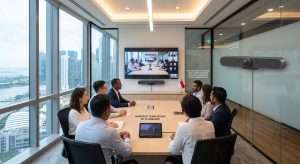
Rally Bar Mini, small to medium rooms: runs Teams Rooms or Zoom Rooms directly on the device through CollabOS, no PC required
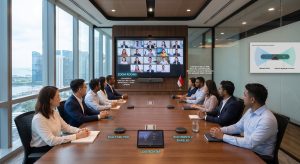
Rally Bar, medium to large rooms: dual camera system with RightSight 2 auto framing for remote participants
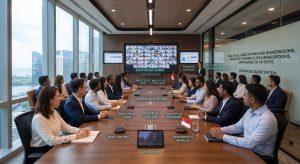
Rally Plus, large rooms and boardrooms: expandable mic pods, up to 46 seats, built for training rooms and full boardrooms

A huddle room fitted with Rally Plus is overkill and a boardroom fitted with MeetUp 2 will leave half the table unheard. TIR sizes the system to the room during the site visit, not after installation.

One Touch Join With Tap and Tap IP

Logitech Tap and Tap IP are touch controllers that let anyone start a meeting with one tap, without dial in codes or hunting for a cable. Tap IP is network connected for appliance based rooms, while Tap pairs with a room PC.

IT teams manage every Tap controller and room device through Logitech Sync, one dashboard covering the whole office instead of a separate login per room. That matters once an office passes five or six meeting rooms, when checking each one by hand stops being realistic.

Why Choose Logitech for Your Meeting Room AV System

Two features come up in most client conversations. RightSight automatically frames whoever is speaking, so remote participants are not staring at an empty half of the room. RightSound separates voices from background noise, which matters more in Singapore’s smaller, harder walled meeting rooms than in a purpose built studio.

Logitech systems are certified for both Microsoft Teams Rooms and Zoom Rooms. That means an office is not locked into one meeting platform just because of the hardware on the wall.

Logitech Rally Bar ships with a two year limited hardware warranty as standard, with one year and three year extended plans available at purchase. Source: Logitech, 2026.

How TIR Installs Logitech Video Conferencing Systems

TIR’s Logitech installation covers a site visit, product selection by room size, on site installation and calibration, platform setup for Teams Rooms or Zoom Rooms, and staff training with ongoing support.

1. Site visit: room size, seating count, existing cabling

2. Product selection: MeetUp, Rally Bar or Rally Plus, matched to pax count

3. Installation: mounting, cabling, calibration on site

4. Platform setup: connect to Teams Rooms or Zoom Rooms licensing

5. Handover: staff training, then ongoing support through Logitech Sync

Fit Out Your Meeting Rooms With Logitech

A Logitech video conferencing Singapore setup only works well when the product matches the room. Talk to TIR for a room by room assessment and a Logitech system sized to how your team actually meets.